

How To Add The List As A Preferred Source On Google

Want to stay on top of your royal family news, or keep up with which celebrity is hopping aboard the Ozempic train? The List has you covered. But in order to ensure that you're staying current on the latest List content, you might want to think about making the site one of your "Preferred Sources" on Google. The search engine launched a new tool in August that allows you to pin your favorite news sites, making them more accessible with every new query or subject entered in the search bar.
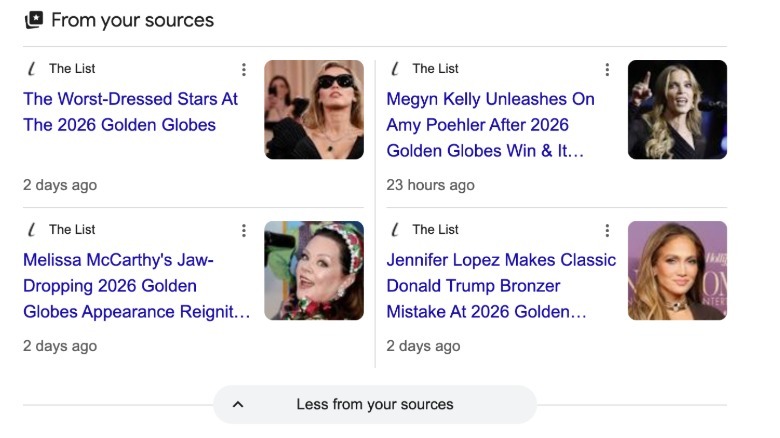
The customization of "Preferred Sources" shows up in the "Top Stories" category on Google, which immediately falls under the "All" tab whenever you make a search. Selecting The List, or any other outlet — you are allowed an unlimited amount of sources — using the new feature will automatically prioritize the site's content on the "Top Stories" page. Your preferences may also show up in a separate section labeled "From your sources." That way, your search results are catered to you. And if you're loving The List's coverage on everything entertainment, pop culture, beauty, and lifestyle, here's how to make it one of your "Preferred Sources."
A step-by-step guide on making The List a Preferred Source
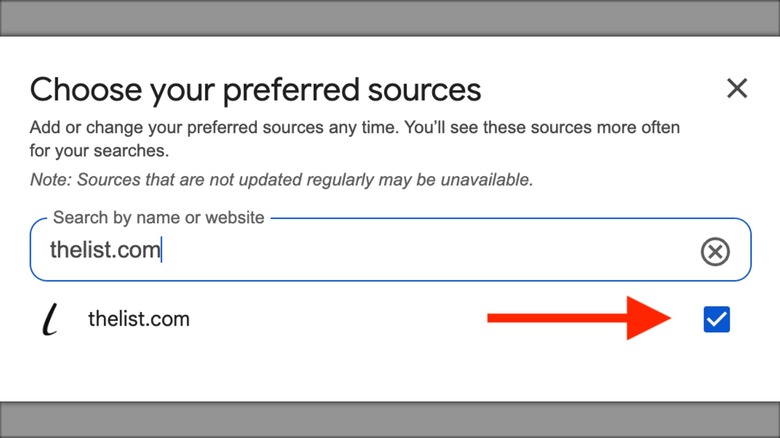
Making The List a preferred source is simple. To start, open up Google and type in any topic in the search bar. This prompts the search engine to promote the biggest stories about the searched subject in the "Top Stories" section. When you find the "Top Stories" section, click on the icon (a white star in a black box) next to the header. Next, a page will appear that asks you to select the news sites whose content you would like to prioritize.
 Static Media
Where it says "search by name or website," type in "thelist.com." Once you check the box and refresh the page, The List's content will start appearing more frequently in "Top Stories." You can also make the change by clicking this link, which will redirect you to a page that automatically presents The List in the search bar of your "Preferred Sources." Checking the box will establish the site as a preferred source. After customizing this section in the search engine, your Google searches will match your news preferences in a much more convenient way.